Product Development
Serverlife.
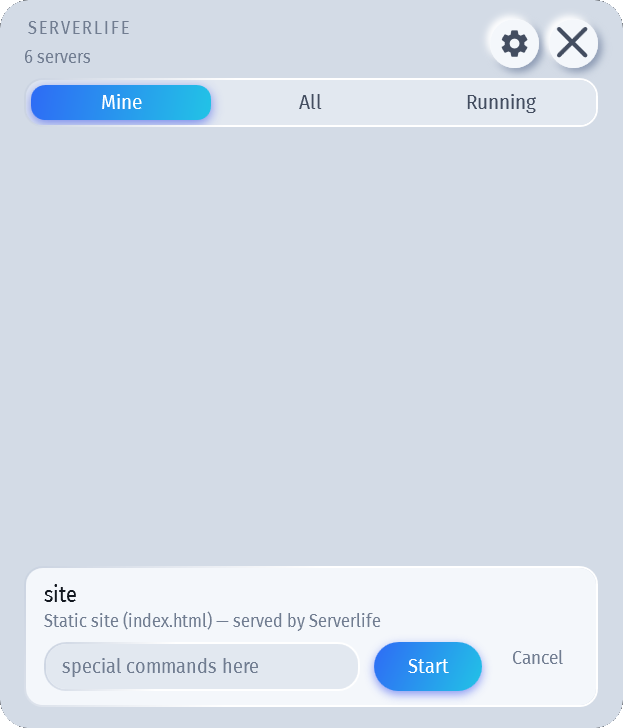
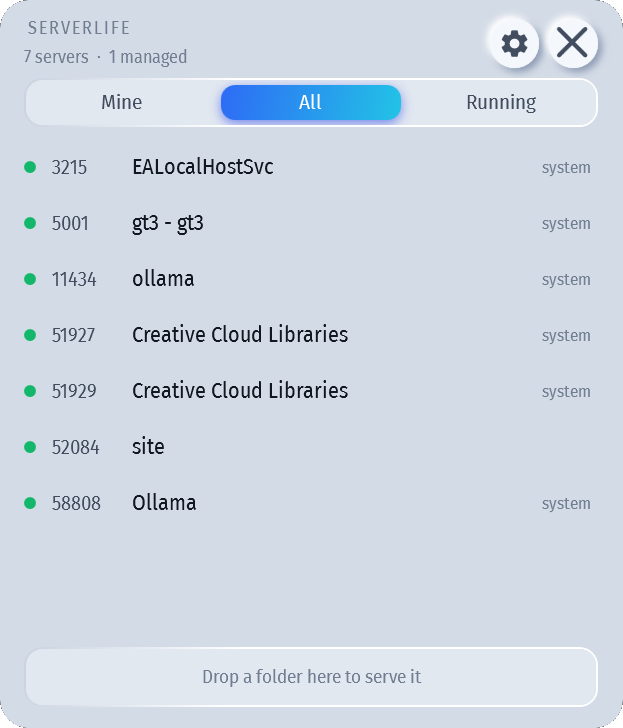
Serverlife sits in the tray and shows every server listening on localhost — port, folder and page title — with your own projects kept separate from the OS and installed apps. Right-click a folder to start serving it.
- Every port, PID, folder & page title
- Tells yours apart from the OS & installed apps
- Drop a folder on it to serve it
- Auto-restart if it dies
- Works offline
macOS 1.0.0 · Windows 1.0.0 — free & open source
Needs an Apple Silicon Mac (M1 or newer) on macOS 13 Ventura or later — it isn't notarized by Apple, so the first launch needs one extra click (below)
- Open the .dmg and drag Serverlife.app onto the Applications shortcut — or run it from wherever you put it, it doesn't need to live there. Eject the disk image when you're done.
- macOS will refuse to open it the first time. The app isn't notarized — notarization needs a paid Apple Developer account, and this project is free. Open System Settings → Privacy & Security, scroll to the bottom, and click Open Anyway next to the Serverlife line, then confirm. (On macOS 14 and earlier you can instead right-click Serverlife.app, choose Open, then Open again.) Only needed once.
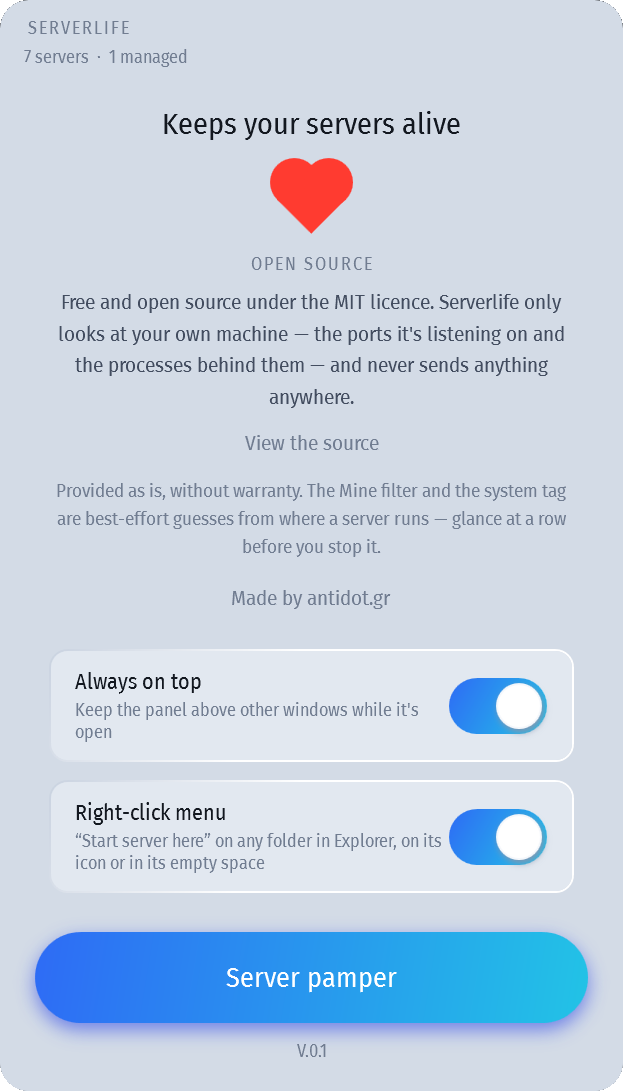
- It lands in the menu bar (and the Dock). Click the gear button if you want to switch on the right-click menu — "Start server here" on any folder in Finder, from its Quick Actions.
SHA-256 eb2c5dd7031d80b19bad756d68e73941aca280384fdee9e806b0b8ed4ce9b2ad
Download for Windows ↓Installs just for you — no admin. Needs the .NET 8 Desktop Runtime, which most machines already have — the installer fetches it for you if yours doesn't. Rather not run an installer? Portable ZIP (1.2 MB) — extract and run, but you install the runtime yourself.
- Windows will say the publisher is unknown. The app isn't code-signed — a certificate costs more per year than this project does. Choose More info → Run anyway.
- Pick your options. The installer offers a desktop shortcut and the "Start server here" right-click menu — both off by default, both changeable later from the app's gear icon.
- It lands in the notification area. Left-click the tray icon to bring the panel back; Quit is on its right-click menu.
SHA-256 d5610e5b44f0c099b23a468c366c742f1ad30dc052d3c444f6a6edf4d80e43c6
Source on GitHub All releases MIT licence Third-party notices
Check the row before you click Stop. Stopping a server takes down everything it started, and the Mine/System split and folder detection are best-effort guesses from where a process runs — not guarantees. Right-click any row to correct one by hand: move it out of Mine, or mark it as yours, and Serverlife remembers.
Nothing Serverlife looks at ever leaves your computer. There is no account, no upload, no
telemetry — the only network activity is the app's own request to localhost
to read a served page's title. Discovery is local process and port inspection, start/stop
is a normal process tree, and the folder read is a best-effort look at the target
process's own memory — it degrades to "unknown folder" rather than breaking anything.
The case study.
- The problem
- Local dev servers pile up on forgotten ports, especially when AI coding agents start them, and finding or restarting the right one wastes time.
- Who it is for
- Developers and designers who run local projects, with or without AI coding tools.
- How it was built
- Two native tray apps: .NET on Windows, Swift on macOS. Free and open source under the MIT licence. Designed and coded with AI coding agents.
- Results
- Version 1.0.0 released for Windows and macOS.
Found a bug, or want it to do something it doesn't? Let's talk —
serverlife@antidot.gr